Resource guide
At-Home Photoshoot Setup for Model Comp Cards
How to take cleaner, more professional-looking photos before creating your card.
Creating a model comp card starts before you open a template. The quality of your photos has the biggest impact on how professional your final card feels.
You do not need a full studio, expensive camera or large production setup to get started. For many aspiring models, a clean wall, natural light, a phone camera and a simple setup can be enough to create useful starter images for a digital comp card.
This guide explains how to set up a simple at-home shoot, what equipment can help, and what to avoid when preparing photos for your comp card.
Start with the simplest setup
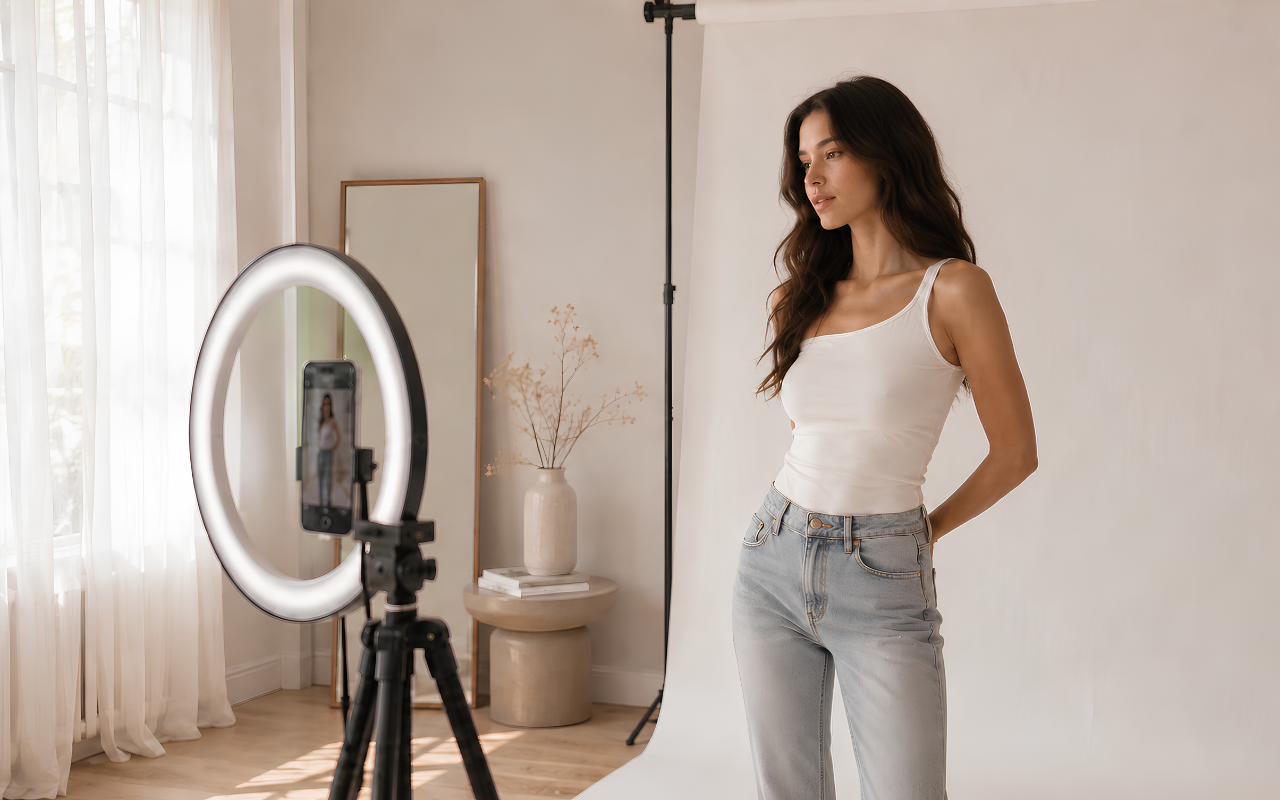
Before buying anything, look for the best light and cleanest background in your home.
A good beginner setup is:
- a plain wall or simple backdrop
- natural daylight from a window
- a phone camera or basic camera
- enough space to capture a full-length image
- simple fitted clothing
- minimal distractions in the background
The goal is not to create an overly styled editorial shoot. For a comp card, your photos should show your face, proportions, posture and range clearly.
Digitals vs comp card photos
Digitals (sometimes called polaroids) are simple reference photos agencies use to see how you look right now, plain background, minimal styling, little or no retouching. A comp card is a designed layout that usually picks your strongest images from that set (or from a shoot) and adds your name, stats and contact details.
The goal of digitals is to show an agency what you look like, not your posing skill or editorial range. That broader presentation is what a comp card is for. If digitals feel almost too simple, you are probably on the right track.
What photos should you capture?
Many agencies and scouting communities expect a full digitals set, not just one or two selfies. A common reference list (aligned with industry mod guidelines) includes:
- Close-up headshot: above the chest; face clear and in focus
- Half shot: from the waist up
- Three-quarter shot: from the waist up, slightly angled
- Full-length: head to toe from the front, both sides, and the back (four frames)
- Profile: from the side, not looking at the camera
Shoot standing for all frames. Do not sit. Leave a small margin above your head and below your feet so nothing is cropped at the edge of the frame. Take several versions of each angle, then keep the sharpest, most natural selects.
Submit your current measurements with digitals when an agency asks for them (height, bust/chest, waist, hips, shoe size, and any other stats they list). Use a soft measuring tape and update the numbers whenever your look changes.
For a comp card layout, you will usually pick a smaller mix from the same shoot, such as:
- your strongest headshot
- one full-length image
- one three-quarter or profile shot
- one supporting image with a slightly different expression, if it still matches the set
Keep lighting and background consistent across the set. If every photo has a different filter, colour grade or backdrop, the card can feel less cohesive.
Requirements vary by agency and country (including imperial vs metric units). Always read their submission page before you send anything.
Natural light is your best starting point
Natural light is often more flattering than harsh indoor lighting. Set up near a window and face toward the light, rather than standing with the window behind you.
Good natural light usually looks:
- soft
- even
- not too yellow
- not too shadowy
- clear enough to show your features
Avoid taking photos under strong ceiling lights, especially at night. They can create harsh shadows under the eyes and make skin tones look uneven.
For digitals, soft daylight often works better than artificial light. Morning and late-afternoon window light is usually flattering; outdoors on an overcast day can also give even, natural tones.
Stand a few feet in front of your backdrop so your shadow stays soft and the wall does not look distracting behind you.
Camera height and framing
A phone on a tripod (or stable surface) with a timer or Bluetooth remote is enough for most digitals. Place the camera at about chest height for full-length shots, not on the floor looking up and not far above your head looking down, as both can distort proportions.
Keep the phone level and straight-on to your body. Even a slight tilt can make legs or torso look longer or shorter than they are. For full-length frames, leave a little space above your head and below your feet. Wipe the lens, use the rear camera if your phone allows it, and check focus on your face before you shoot.
Use a plain background
A plain background keeps the focus on you. A white or off-white wall with nothing distracting around you is ideal; cream, grey or other neutral tones can work if a white wall is not available.
Avoid backgrounds with:
- clutter
- busy furniture
- visible laundry
- posters
- messy shelves
- strong patterns
- distracting colours
If you do not have a clean wall, a simple backdrop can help. You do not need anything dramatic. A neutral fabric, backdrop paper or foldable backdrop can create a cleaner result.
Beginner-friendly setup essentials
You do not need to buy everything before taking comp card photos. Start with the best natural light and cleanest background you already have. The items below are useful if you are shooting alone, working in a darker room, or trying to create a cleaner background.
Disclosure: This section contains affiliate links. If you buy through these links, The Looksheet may earn a commission at no extra cost to you. As an Amazon Associate I earn from qualifying purchases.
The basic setup
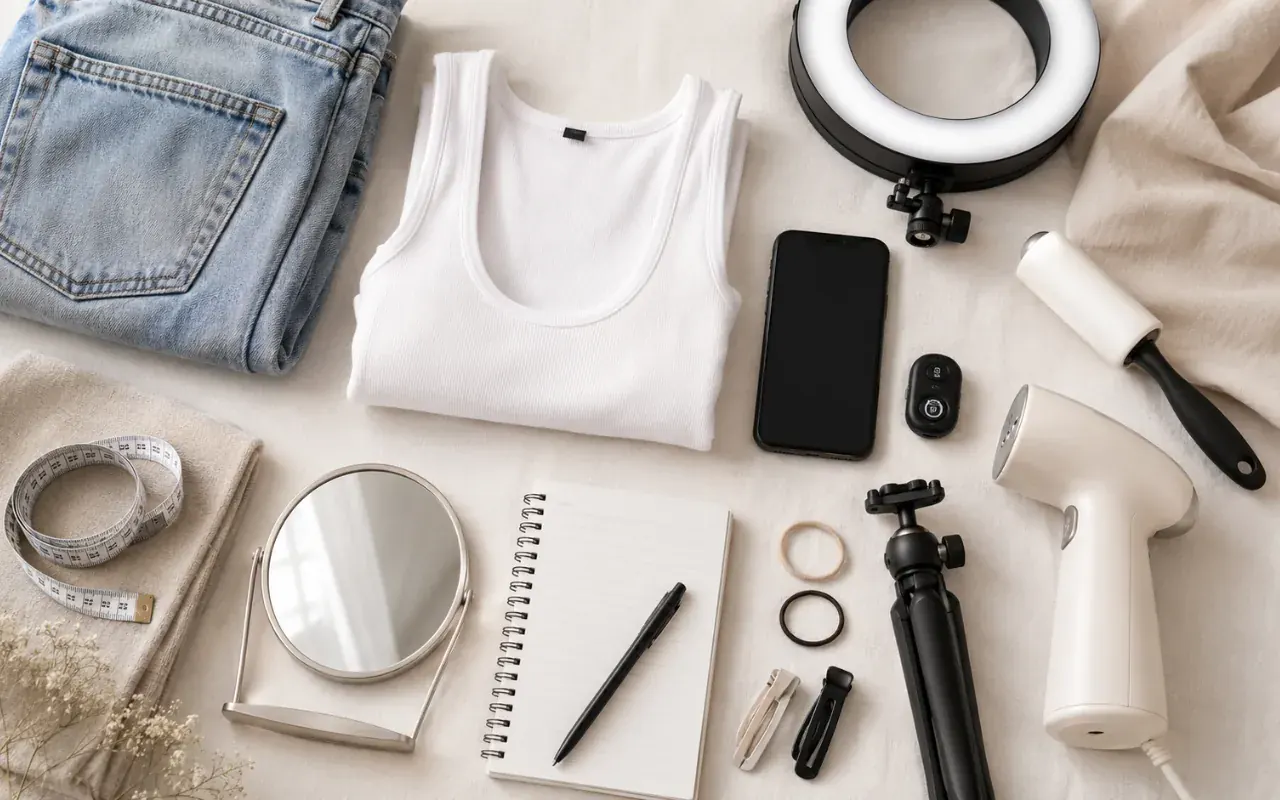
Phone tripod with Bluetooth remote
A tripod helps you take full-length photos without relying on mirror selfies. Look for one that extends high enough for standing shots and includes a Bluetooth remote so you can take photos without running back to the phone. View on Amazon(paid link)
Soft measuring tape
A soft measuring tape helps you check your current measurements before adding them to your comp card. Keep your stats accurate and update them whenever they change. View on Amazon(paid link)
Lint roller or small clothes steamer
Simple clothes photograph better when they are clean, lint-free and not heavily wrinkled. This is especially useful if you are wearing plain fitted clothing where small details show.
Lint roller on Amazon(paid link)Clothes steamer on Amazon(paid link)
Better lighting
Ring light with phone holder
A ring light can help if your room is dark, but use it gently. Adjustable brightness and colour temperature are useful because overly harsh light can make photos look less natural. View on Amazon(paid link)
Softbox lighting kit
A softbox can create softer, more even light than a small ring light, especially for full-length images. This is a good option if you want a simple studio-style setup at home. View on Amazon(paid link)
Photography reflector
A reflector can bounce natural window light back onto your face and reduce shadows. A basic white or silver reflector is usually enough. View on Amazon(paid link)
Cleaner background
Neutral photography backdrop
A plain backdrop keeps the focus on you. White, cream, grey or beige usually works better than bright colours or busy patterns. View on Amazon(paid link)
Backdrop stand
A backdrop stand is useful if you do not have a clean wall or want a consistent background. If you already have a plain wall with good light, you may not need one. View on Amazon(paid link)
Hair, makeup and grooming
Digitals should show your natural features. Hair should be clean and worn simply: down, in a clip, or in a ponytail. Do not hold your hair back with your hands in the photo.
For strict agency digitals, wear no makeup. Some briefs allow barely-there concealer, but foundation, contour, bold brows, lashes, blush or lipstick can misrepresent how you look. Keep nails clean and skip chipped polish if it will show in frame.
Press or steam your outfit so wrinkles and lint do not distract from an otherwise strong photo.
What to wear for comp card photos
Wear something form-fitting so your shape reads clearly, no baggy layers. A common starting point is a plain black or white tank top with dark skinny jeans or leggings. Some agencies also accept a simple bikini or swimsuit if their brief asks for it.
Other good options include:
- simple fitted T-shirt in black, white or grey
- fitted jeans without large logos
- barefoot unless the agency requests heels
- minimal jewellery (or none)
Avoid oversized layers, busy patterns, bright colours and large logos. The focus should stay on your face, body proportions and posture, not your outfit.
How to pose for digitals
Posing for digitals is different from fashion editorials. Stand tall with relaxed shoulders, weight balanced evenly, arms straight down at your sides, and your chin level. Keep a calm, neutral expression unless a brief asks for something else.
For digitals, avoid:
- hands raised or on your hips
- hands in pockets or belt loops
- sitting or leaning poses
- holding your hair back with your hands
- looking at the camera in a strict side-profile frame
Small turns of the head or body are enough for variety. If a pose feels dramatic or styled, it is probably too much for digitals.
Common mistakes to avoid
Using mirror selfies
Mirror selfies can be useful casually, but they usually do not look polished enough for a comp card. They can distort proportions and often include distracting background details.
Over-editing the photos
Avoid filters, skin-smoothing apps, face reshaping and heavy retouching. Agencies can often spot even light editing. Basic brightness, exposure or crop adjustments are usually fine; if the photo looks “too perfect,” it may no longer work as an honest digital. Comp cards should still represent what you actually look like today.
Tilted or low camera angles
Shooting from too low, too high or at an angle can stretch or shorten your proportions in full-length frames. Keep the camera level at chest height when possible.
Over-posing
Dramatic poses, arched backs and exaggerated expressions can hide your natural shape. Digitals work best when you look relaxed and straightforward.
Hands in pockets or cropped at the edges
Keep arms at your sides, and leave a little space above your head and below your feet. Cropping tight to the hairline or shoes makes it harder for agencies to read proportions.
Cropping too tightly
For full-length images, make sure your whole body is visible from head to toe. Leave a small amount of space around the body so the image can be placed nicely into a card layout.
Using inconsistent lighting
If one photo is warm and dark, another is bright and blue, and another is heavily filtered, the final card may feel less cohesive. Try to shoot your images in the same session or in similar lighting.
Simple at-home setup checklist
Before you start shooting, check:
- Is the background clean?
- Is the light soft and even?
- Is the phone or camera steady and level?
- Is full-length framing at about chest height?
- Is the lens clean?
- Is your outfit simple, fitted and neutral?
- Is hair secured simply (not held back by hand in frame)?
- Are you wearing no makeup for strict agency digitals?
- Do you have close-up, half, three-quarter, full-length (front, both sides, back), and profile (not looking at camera) angles?
- Are measurements current if you are submitting to an agency?
- Are there no distracting objects behind you?
- Do the photos look natural and not over-edited?
- Are hands down at your sides (not in pockets or belt loops)?
Suggested beginner setup
If you want to keep things simple, start with:
- phone camera
- tripod
- Bluetooth remote
- plain wall or neutral backdrop
- window light
- simple fitted outfit
- lint roller or steamer
This is enough for many aspiring models to create cleaner starter photos for a digital comp card.
When to book a professional photographer
An at-home setup is useful when you are starting, testing layouts or preparing a simple digital card. However, a professional photographer can still be worth it when you need stronger portfolio images, agency-level digitals or more polished editorial shots.
If you are applying to agencies, always check their website for current digitals requirements. Some want natural, unedited images only; others may request specific outfits or extra shots. Update your digitals when your look changes noticeably (for example hair colour, weight or age), so submissions stay accurate.
Turn your photos into a comp card
Once you have selected your best headshot, full-length image and supporting photos, you can upload them to The Looksheet and create a clean comp card in seconds. Your photos do not need to be perfect before you start. A simple, clear and well-lit set of images is often a much better starting point than over-styled photos with distracting backgrounds.
Create your model comp card free