The Process

    How It Works

    From template to print-ready comp card in under 60 seconds. No account required.

    01

    Choose a Template

    Browse our curated collection of agency-standard comp card templates, from editorial to commercial styles.
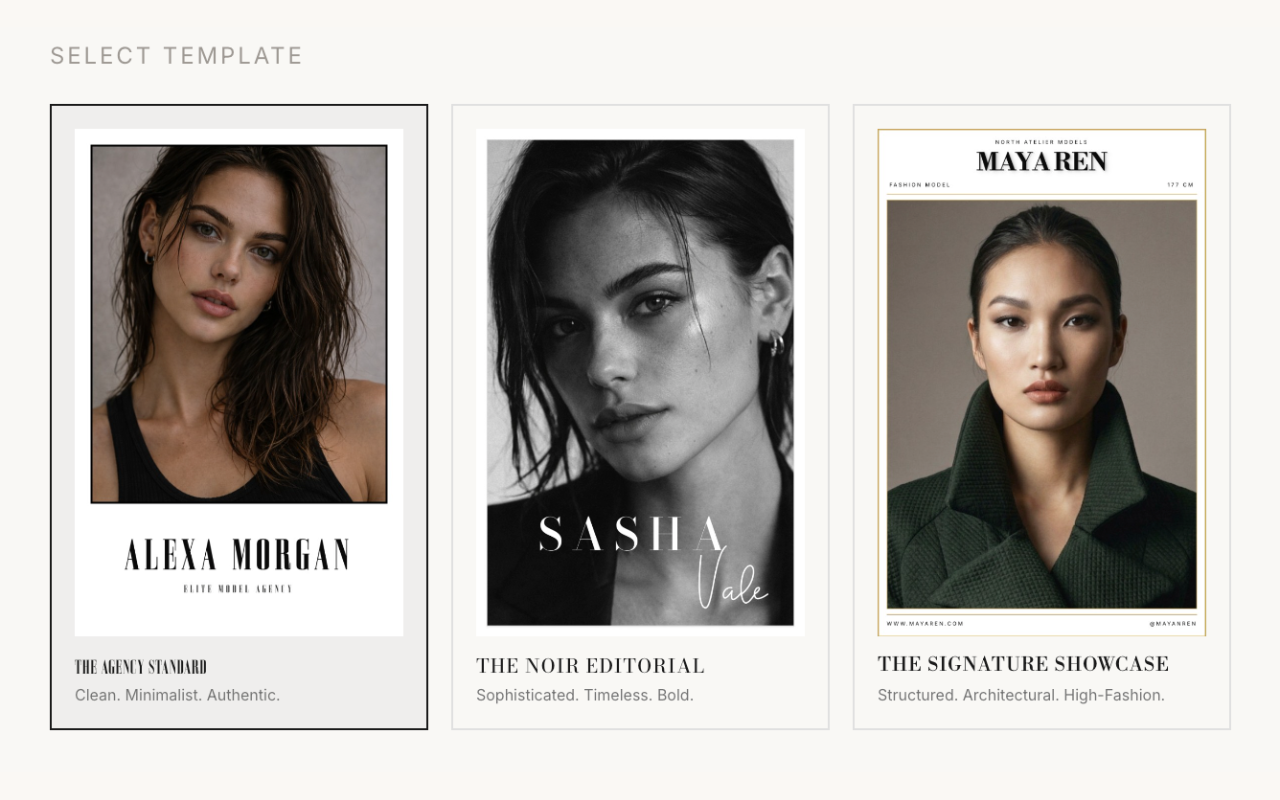
    The Looksheet template picker on the create page
    02

    Enter Your Details

    Add your name, agency, measurements, and contact information first, the same order as the builder, so agents see everything they need at a glance.
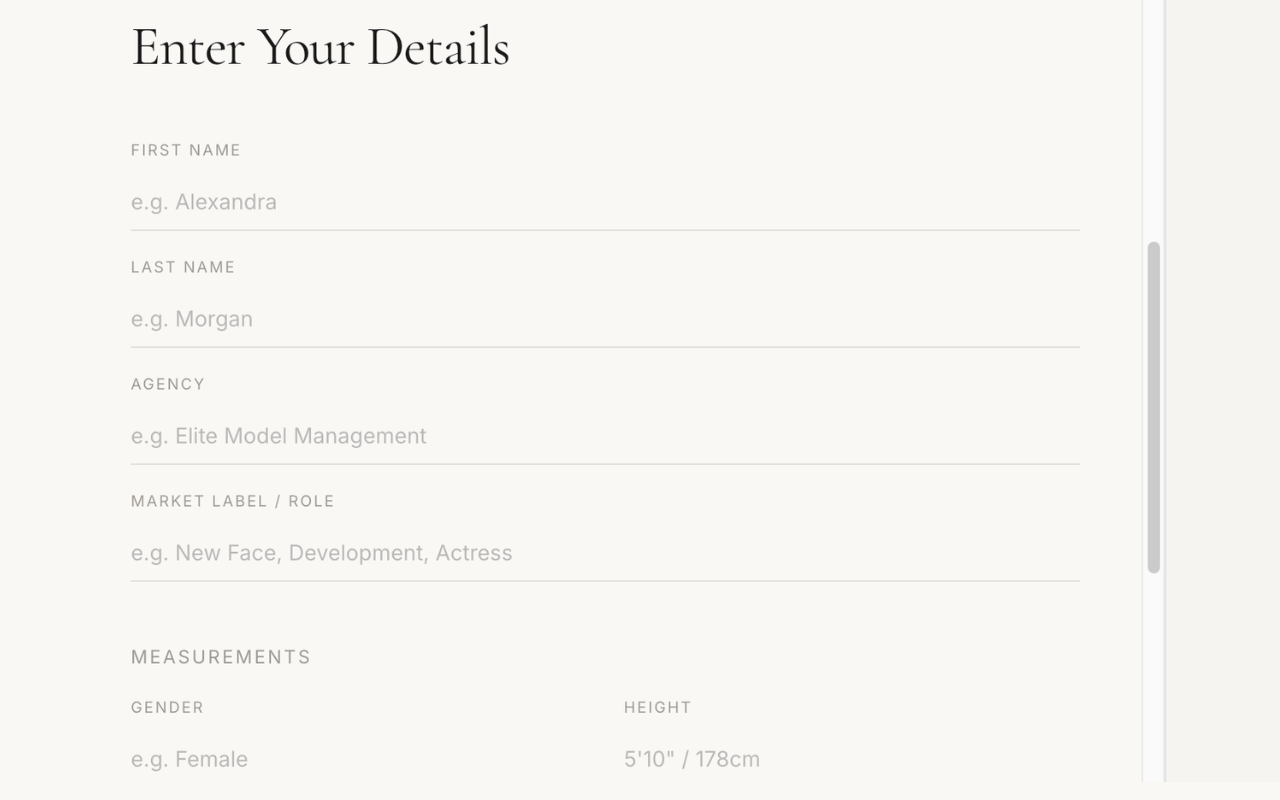
    Entering model name, stats, and contact details in The Looksheet form
    03

    Upload Your Photos

    Add your headshot and portfolio images to each frame. Everything stays in your browser, nothing is uploaded to our servers.
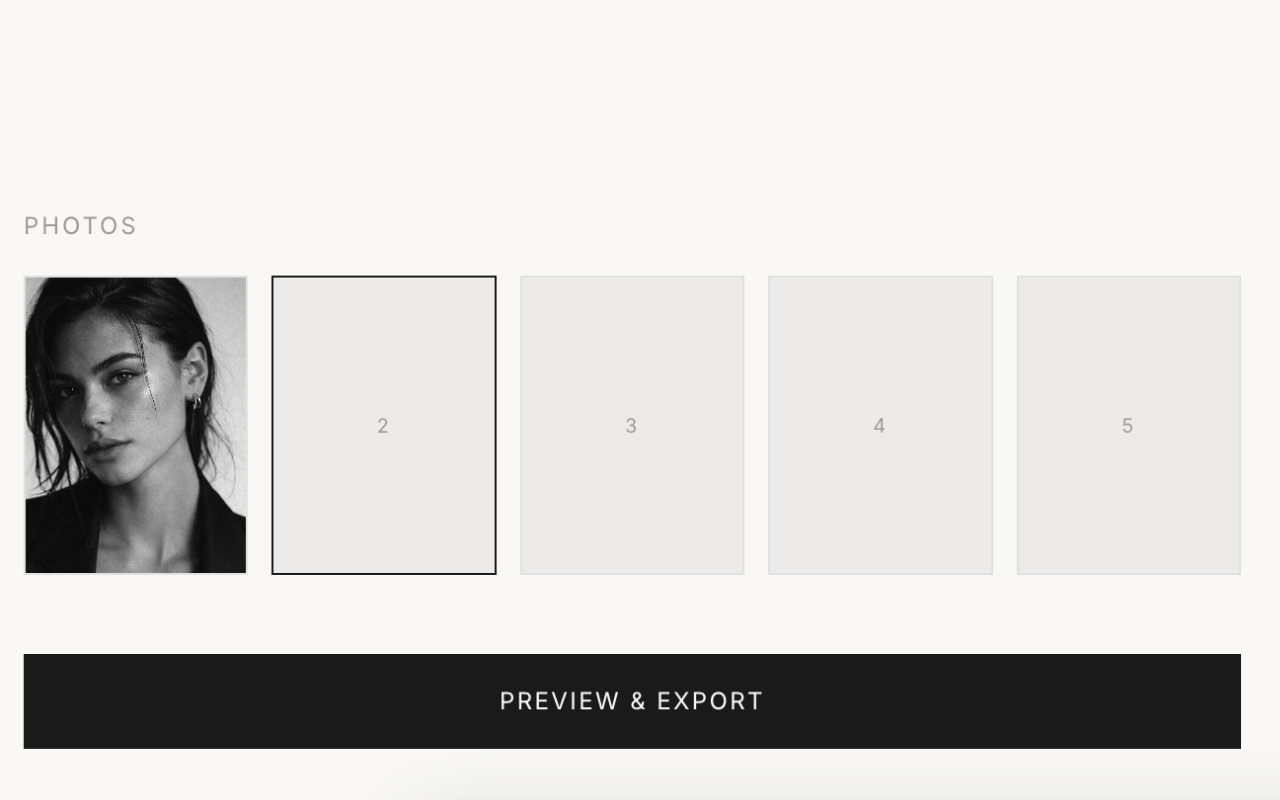
    Uploading portfolio photos for a comp card in The Looksheet
    04

    Live Preview & Adjust

    See your card update in real time as you work. Drag to reposition photos and text, and use the +/− controls to resize each photo until every frame looks right. If you switch templates after adding photos, the layout changes, so re-check each frame and preview before exporting.
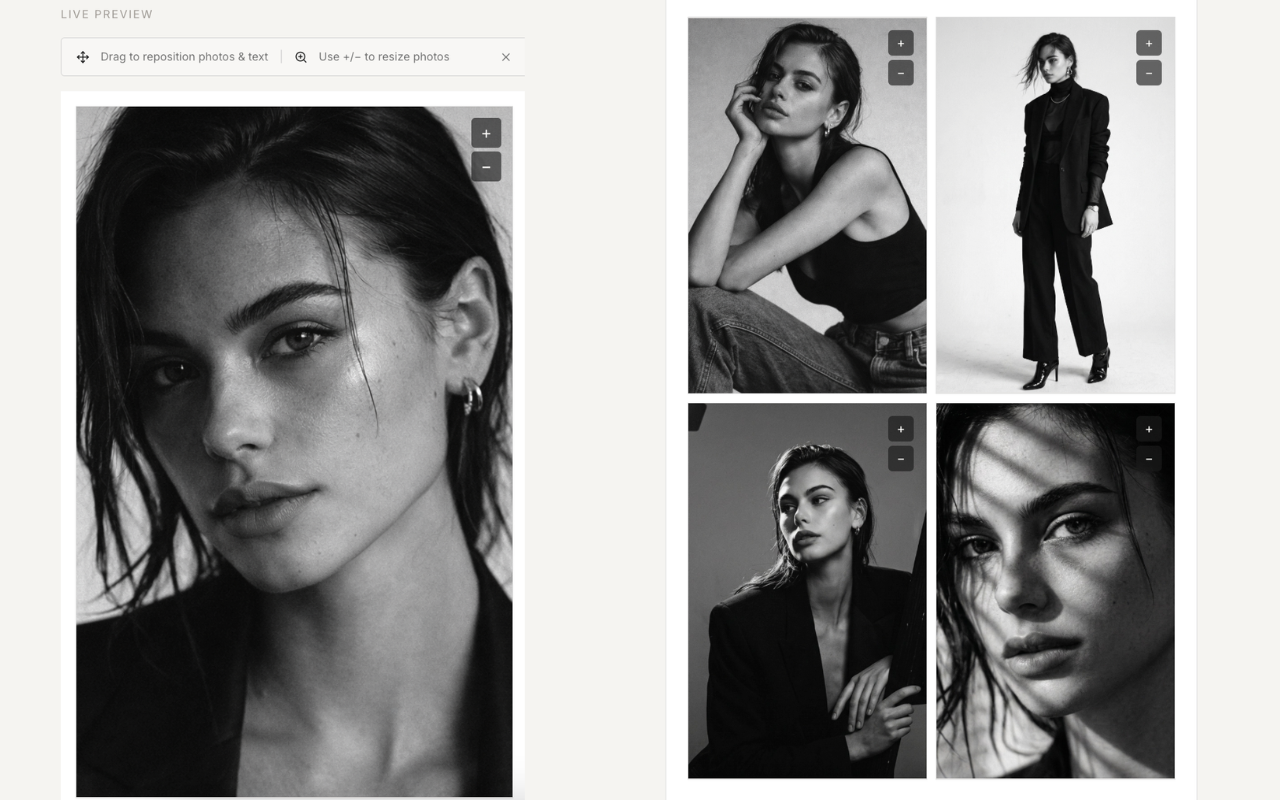
    Live preview with drag-to-reposition and photo resize controls in The Looksheet
    05

    Export at 300 DPI

    Download your finished comp card as a high-resolution PDF, PNG, or JPEG, ready for print or digital submission.
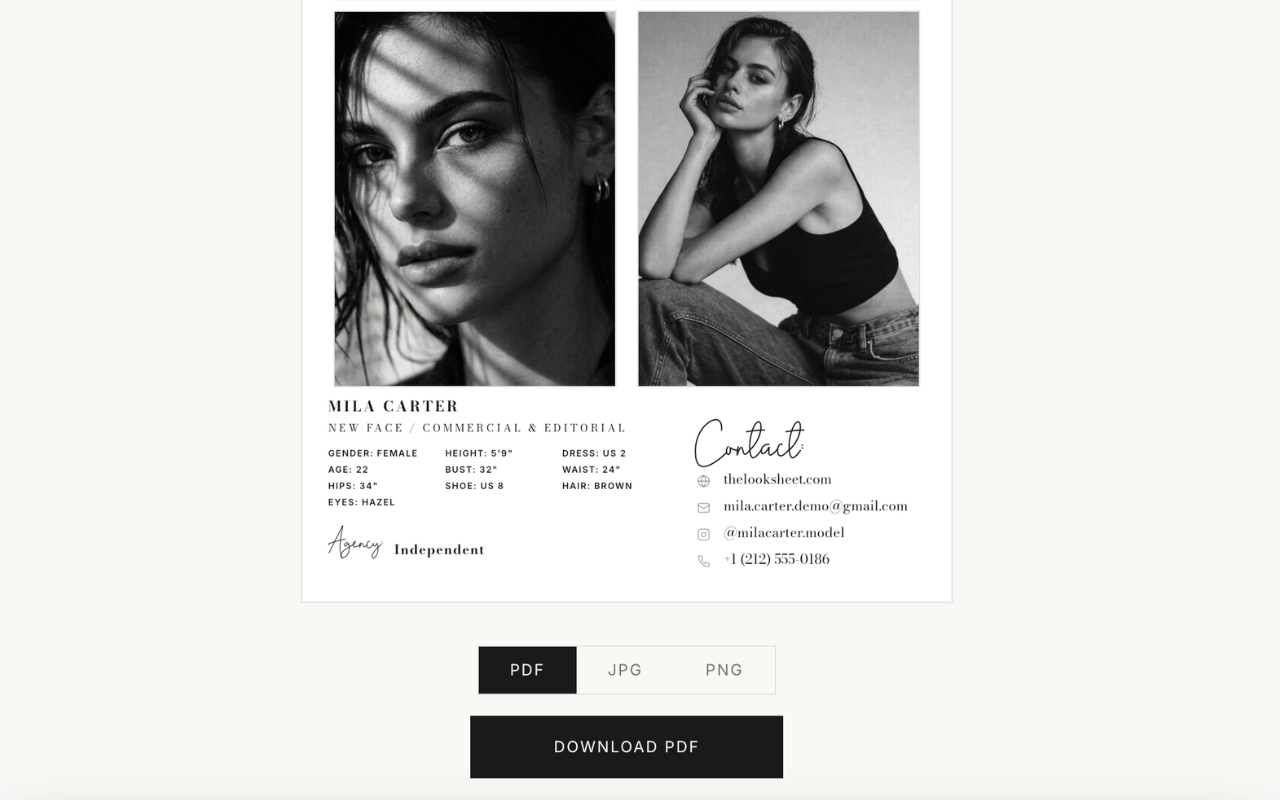
    Exporting a print-ready comp card at 300 DPI

    Support

    Frequently Asked Questions

    A comp card (also called a zed card or sed card) is a double-sided card used by models to showcase their look and stats to agencies and clients. It's the industry-standard marketing tool for working models worldwide.

    Com card is a common misspelling of comp card, but it means the same thing. Pick a free template, upload your photos, add your measurements, preview the layout, and export at 300 DPI. No signup or design software needed.

    Yes, all of our current templates are completely free. You can create, customise, and export your comp card without paying anything or even creating an account.

    No. You can go from choosing a template to downloading your finished comp card without signing up or logging in.

    You can export your comp card as a high-resolution PDF (300 DPI, print-ready), as well as PNG and JPEG for digital use.

    Yes. Every photo frame is fully adjustable, drag to reposition and use the zoom controls to get the perfect crop, all without needing any external editing software.

    Yes, your details and photos carry over when you switch templates, so you can see how your card looks across different styles without starting over. Keep in mind that templates have different layouts, so your photos may need repositioning or resizing after you switch. Always check the live preview before you export.

    Absolutely. We add new templates every month, so there will always be fresh styles to choose from, whether you're going for editorial, commercial, or something in between.

    Yes. Our three standard templates will remain free. We may occasionally add optional premium templates with extra layouts or features for a small fee, and we aim to keep any paid options affordable.

    Our three standard agency templates are completely free, create, customise, and export with no account required. We may occasionally add premium templates with more advanced layouts for a small fee, but the core templates will stay free.

    A standard comp card includes a main headshot, additional portfolio photos, your measurements (gender, height, bust/chest, waist, hips, shoe size, dress size, age), and contact or agency details.

    Your photos and details are processed entirely in your browser. Nothing is uploaded to our servers and nothing is stored once you close the page.

    If you navigate away from the card maker while a card is in progress, you'll be warned that leaving the page will reset your changes. Because nothing is stored on our servers or saved between sessions, your details and photos are cleared once you leave. Always export your finished card (PDF, PNG, or JPEG) before you leave the page.